Viral Content Formats You Can Copy: Replit Edition
Steal the formats Replit spent millions with creators to find
|September 17, 2026|4 min read
Prebuilt prompt
Don't want to read through it all?
Copy the prompt, paste it into your AI chat, and add a line at the top about what your product is. It tweaks every winning format below to fit your brand.
Intro
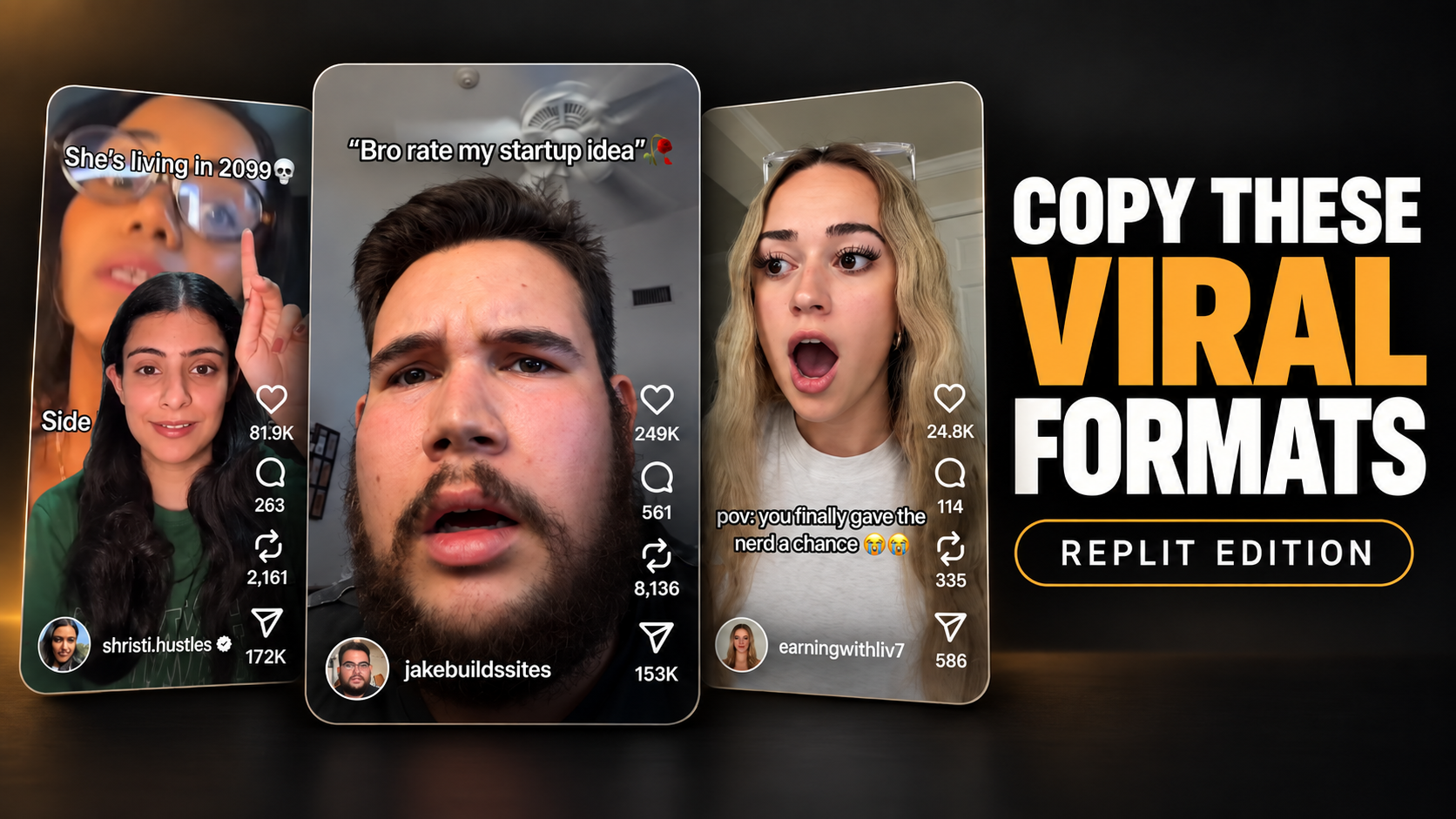
I put together a list of Replit's most consistently viral content formats for you to be able to recreate your own versions of them. Each one of these ideas and scripts has been put to the test dozens and dozens of times and out of all the different content formats they tested these were the most reliably viral.
You can manually look through each one of these or click the 'Copy Prompt' button at the top of the page. I put together a condensed version of this entire read with all the scripts in it so you can pass it to your AI and make versions of each one that make sense for your product.
Format 1: 'Rate my (fill in the blank) idea'
This is easily one of their most consistently viral formats they have created, whether it converts well is another story though. This specific format I would consider largely top of funnel.
0:00 - 0:03 Front camera facing creator with a confused look. 0:04- 0:05 Camera flips to focused frame of app icon on the computer screen for a second before tabbing into app. 0:06- 0:011 Shows flashlight app on screen a
Vid 1left video
MusicAXRYN Saxophones getting louder
Text hook βBro rate my start up idea ππ₯βThe whole video length
Vid 2right video
MusicYahpoJJ Yelda
Text hook βBro rate my start up idea ππ₯βThe whole video length
0:00 - 0:03
Front camera facing creator with a confused look.
0:04- 0:05
Camera flips to focused frame of app icon on the computer screen for a second before tabbing into app.
0:06- 0:011
Shows flashlight app on screen and turns on flashlight.
0:011 - 0:013
Tries turning off flashlight but hit with a $499 paywall to turn it off.
0:013 - 0:016
Camera flips back to front camera, creator acts frustrated and disappointed.
Make it Yours 1
The format is clearly sarcastic and meme-style, and the goal is to discreetly fit your product into the video in a way that's comedic. It could work for a lot of different products β a meal planning app, a clothing brand, a game. All you need is a few seconds of buildup and a punchline when the camera flips.
The idea behind this is that it's highly shareable. Both of the example videos have a share count more than half of the like count. Don't make it feel like a product ad but still clearly communicate your product in some way.
Format 2: 'POV you gave (fill in the blank) a chance'
This format is pretty similar in structure to format #1, although I do think the chance for conversion is much higher. It gives the user a real actionable idea that they can see themselves using.
0:00 - 0:03 Front camera facing the creator with a surprised hand covering mouth face looking away from the phone camera. 0:03 - 0:05 Camera flip to IMessage chat link to a website that is titled 'Date Proposal' and the
Vid 1left video
MusicNocturne Op. 9 No. 2
Text hook βpov: you finally gave the IT guy a chanceπβOnly 3 seconds in the hook
Vid 2right video
MusicLucifer's Waltz
Text hook βpov: you finally gave the IT guy a chanceπβOnly 3 seconds in the hook
0:00 - 0:03
Front camera facing the creator with a surprised hand covering mouth face looking away from the phone camera.
0:03 - 0:05
Camera flip to IMessage chat link to a website that is titled 'Date Proposal' and the link being 'say-yes-or-else.replit.app'
0:05 - 0:07
Shows the website being a date proposal in big writing 'Will you go on a date with me?' and 2 answers 'yes' and 'no' but the 'no' button moves as you try to click it and is not selectable. The creator then selects yes.
0:07 - 0:09
Shows a page saying 'Wait you actually said yes??π' mixed in with a Spongebob dancing gif. The creator clicks 'okay' to continue.
0:09 - 0:017
The creator selects a day for it and an activity for the date night. Then showing a final screen of the site saying 'Glad you didn't say no. be ready by 6, I'm coming to get you π'
Final screen has a clear 'built with Replit' wording .
Make it Yours 2
The format is "POV you gave the [type of person] a chance," and the payoff is the thing they made for you. That's what makes it easy to swap. The person is your customer and the thing on screen is what your product lets them make. "POV you gave the gym guy a chance" and the flip is a full meal prep for the week. "POV you gave the artist a chance" and the flip is a custom drawing of you.
What really makes this one work for Replit is that it hands the viewer an idea. A guy watches it and thinks "I could make that for her," and the product is how he does it. Your version needs to do the same thing. The thing on screen shouldn't just be impressive, it should be something the viewer could go make this week with your product. That's the difference between a video people like and a video people save.
The part that has to stay is the feeling. Someone quietly made something for you and it's better than you expected. The surprised reaction, the soft music, and the product's name on the last screen all serve that. If it doesn't feel like that, the format falls apart.
Format 3: '(Fill in the blank) for idiots'
This format is harder to get right than format 1 or 2, but it's the most actionable of the four. The viewer sees the exact steps they need to take, with your product as a stepping stone in the journey to the end goal. It's very much a 'How To' video, but dumbed down to be short and easy to follow.
0:00 - 0:06 Visual hook: Setting down the camera while already talking 'Side hustles for idiots part 2 and yes I am talking about you cause I'm on your for you page ok... alright. Lets start.' 0:06 - 0:15 Visuals: Speaki
Vid 1left video
Text hook βSide hustles for idiots (part.2)βFirst 6 seconds of the video.
Vid 2right video
Text hook βSide hustles for idiots (part.3)βFirst 6 seconds of the video.
0:00 - 0:06
Visual hook: Setting down the camera while already talking
'Side hustles for idiots part 2 and yes I am talking about you cause I'm on your for you page ok... alright. Lets start.'
0:06 - 0:15
Visuals: Speaking direct to camera and picking up items as you mention them.
'Making money online is a lot easier than you think, you don't have to overcomplicate it all you need is your laptop, your IPad, your phone, whatever you have.'
0:15 - 0:18
Visuals: Back camera now facing Claude chat with a pencil in hand pointing while talking
'You're gonna go to Claude and ask it to give you app ideas that are in high demand right now.'
0:18- 0:23
Visuals: Jump cut to now showing Claudes response in the chat same back camera facing with pencil in hand pointing'
'Once it gives you a list of ideas ask it to pick the best one and give you an MVP... Don't worry about what this means right now.'
0:23 - 0:27
Visuals: Jump cut to now showing code it spat in Claude
'It's going to give you code like this, but don't freak out your just gonna copy this'.
0:27- 0:29
Visuals: Jump cut to showing the Replit app icon on the computer screen with a pen in hand circling it in the air .
'Now go to Replit the app looks like this.'
0:29- 0:33
Visuals: Back camera facing the Replit chat not pointing at it with a pen.
'Once you're in the app you're gonna paste that code that Claude gave you and than your gonna hit mobile.'
0:33 - 0:36
Visuals: Camera now flipped came to front camera facing creator holding the camera.
'And now you're just gonna give it a couple minutes go get a snack or whatever'
0:36 - 0:47
Visuals: Back camera back facing screen showing the final product being an app in a simulator on the screen and the features mentioned as talking.
'And here is a calorie tracking app I just created, I can make edits and changes here... but its still in the testing phase, and once I'm done with that I can publish it straight to the App Store or the Play Store and that's literally it.'
0:47 - 0:53
Visuals: Front camera facing creator final frame
'Now all you have to do is add a paywall to the App Store and you're done.'
Make it yours 3
This one's mostly a full script rewrite, but the general idea, pacing, and visuals all translate well.
The important part is baking it in. That means not making it feel like an ad, your product is just a step in the process to reach the goal. The end goal doesn't have to be side hustles either. It could be 'Planning a date for idiots', 'Losing weight for idiots', 'Getting a job for idiots'. Whatever your product is, write a hook where it's a crucial step to some end goal.
What stays the same is the pacing and the tone. Each step is a few seconds with the screen or the product shown for it, and she's talking to the viewer like they're a bit dumb but in a confident friendly way. The 'part 2' in the hook is worth keeping too, it makes people go look for the rest.
Format 4: 'Powerful (fill in the blank) you should know about'
This is the most universal and easiest format to make. It takes next to no effort, and you can use an Eleven Labs voice to make variations. If your product is the kind of thing people would send a friend because it's convenient or a cool find, this one has a solid chance of working for you.
The videos below come from an account that posts this exact format every single day, and most of them do great.
0:00 - 0:02 Visual Hook: A shot of the users monitor and keyboard typing vigorously button smashing. On screen showing some vibrant visual. The text center of the screen in bold 'POWERFUL WEBSITES YOU SHOULD KNOW(PART 1)
Vid 1left video
Text hook βPowerful websites you should know.β
Vid 2right video
Text hook βPowerful websites you should know.β
0:00 - 0:02
Visual Hook: A shot of the users monitor and keyboard typing vigorously button smashing. On screen showing some vibrant visual. The text center of the screen in bold 'POWERFUL WEBSITES YOU SHOULD KNOW(PART 1)'
0:02 - 0:04
Visuals: Showing back camera facing the computer screen close up on the Replit website.
'Did you know if you go to this website...'
0:04 - 0:06
Visuals: Jump to showing Replit dashboard in the AI chat screen pointing at it closely then showing the web chat and app chat cutting to each visual while speaking with a voice over.
'You can use both web and app version'
0:06 - 0:10
Visuals: Cut to typing into the Replit AI chat that's recorded as a screen recording with the voice over narrating.
'You can simply enter a prompt like "create an app where I can put pins and notes on a map" and hit enter'
0:10 - 0:12
Visuals: Showing the AI responding and creating code on the phone screen chat still using the voice over and screen recording the chats response.
'The AI will do all the coding for you'
0:12 - 0:15
Visuals: Screen recording of the map it built with narration over top.
'In just seconds, it'll generate a full interface for you.'
0:15 - 0:18
Visuals: Back to chat screen recording and narration now typing a new prompt.
'Let's try another one, "Help us learn about the solar system".'
0:18 - 0:20
Visuals: Shows a solar system app on screen that can played with looking around.
'There we go...'
0:20 - 0:22
'Now you can build an app without coding... Easy.'
Make it yours 4
You can make your own version of this with just about anything. Change the phrasing to match your product, 'Powerful apps you should know', 'Underrated products', 'Websites that feel illegal', and test which text hook grabs the most attention.
This is the easiest one to copy. Keep the text hook, the fast cuts between what's being said and what's on screen, the length around 20 seconds, and the feeling that someone found your product instead of selling it. Software fits the format almost as-is since it's built around screen recording. A physical product means straying further, the flip goes to the product in hand instead of a screen, but the same "did you know" framing still carries it.
Run it on NextClip
Letβs create your brandβs consistent viral formats
Hand these formats to creators on NextClip and see which ones actually convert for your product.
Creators who fit your brand apply to your campaign
Pay flat rate, per view (CPM), or both, and every payout runs automatically
Views and results tracked on every post
Turn winning videos into ads in a few clicks, all on NextClip